


Gmail

Zoom

Google Drive

Google Docs

ChatGPT


Upwork
Learn the tools. Protect yourself online. Earn from your experience.
A practical three-week online programme for retirees and professionals approaching retirement
You may be retiring from your job, but your knowledge, experience and ability to contribute have not retired.
The Digital Second Act is designed to help retirees and adults preparing for retirement confidently use essential digital tools, protect themselves from online scams and package their years of experience into services they can offer remotely.
No complicated technical language. No rushed teaching. No assumption that you should already know how everything works.
Just patient, practical and supportive training that prepares you for life and work in a digital world.

Practical tools. Real results.
Easy-to-use tools that helps you communicate , create, organise and grow your opportunities.
Gmail
Zoom
Google Drive
Google Docs
ChatGPT
Upwork
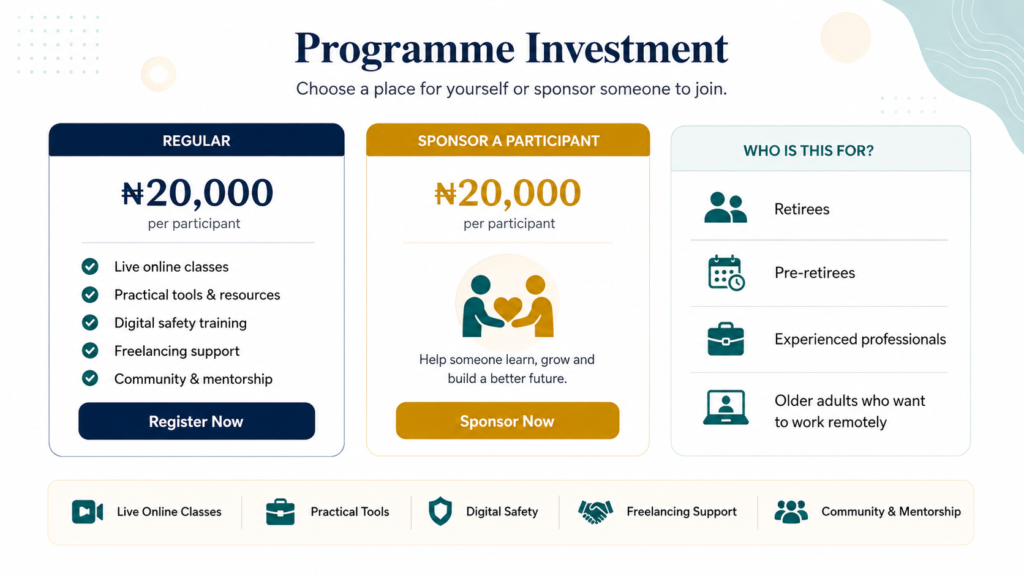
Who is this programme for?
This course is for you if…
- Retirees who want to become more confident with technology.
- Professionals who are approaching retirement.
- Older adults who want to work remotely.
- Retired teachers, bankers, administrators, civil servants, health workers and business professionals. Older business owners who want to use digital tools more effectively.
- People who want to become consultants, tutors, trainers, mentors or freelancers.
- Adults who want to protect themselves from online fraud.
- People who are tired of depending on others for basic digital tasks.
- Retirees who want to remain productive and connected.
- Adults who want to build a new source of income from their existing experience.
You do not need to have worked in technology. You do not need to be an expert with computers. You do not need previous freelancing experience. You only need a willingness to learn and practise.
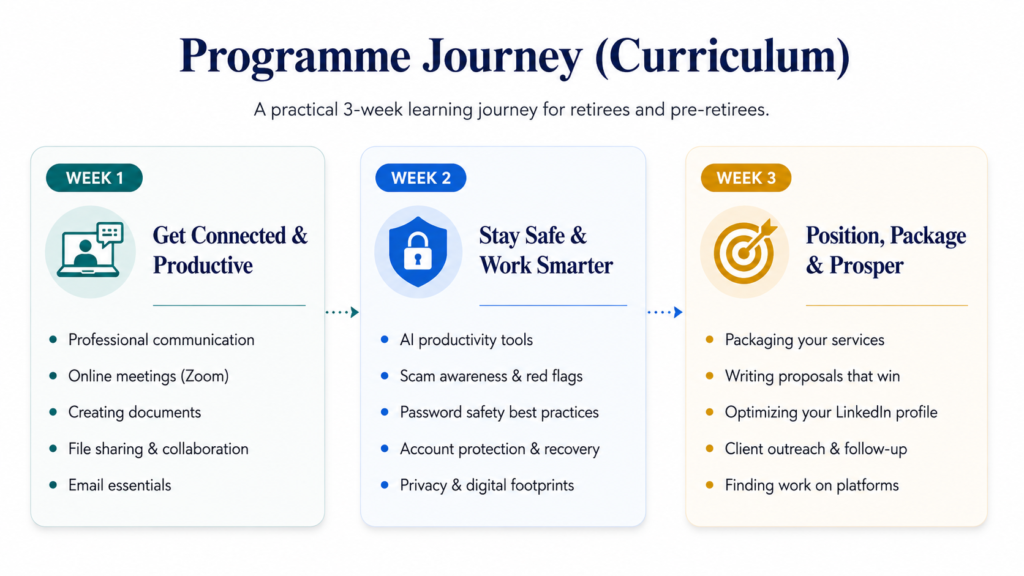
Here’s what we’ll be covering in each module…
Digital Communication Basics
- How to use Gmail professionally
- How to write and reply to emails
- How to attach and download files
- How to join Zoom meetings
- How to mute, unmute and use the chat
- Basic online meeting etiquette
By the end of this programme, you should have a clearer understanding of digital tools, online safety and how your existing experience may be presented as a useful service
Limited seats available
Module Two
Creating and Sharing Digital Work
- How to use Google Drive
- How to create and organise folders
- How to upload and download files
- How to use Google Docs
- How to create simple professional documents
- How to download documents as PDF
- How to share files safely
By the end of this programme, you should have a clearer understanding of digital tools, online safety and how your existing experience may be presented as a useful service
Enroll today – Save 37% OFF
Limited seats available
Module Three
Using AI for Everyday Work
- What AI is and how it can help
- How to use ChatGPT
- How to ask better questions
- How to improve emails and writing
- How to organise ideas
- How to research simple topics
- How to generate service ideas from their experience
- What information they should not share with AI
By the end of this programme, you should have a clearer understanding of digital tools, online safety and how your existing experience may be presented as a useful service
Enroll today – Save 37% OFF
Limited seats available
Module Four
Digital Safety and Scam Awareness
- How to recognise phishing messages
- How to spot fake job offers
- How to identify suspicious links
- How to recognise fake payment messages
- How to create stronger passwords
- How to use two-factor authentication
- How to protect personal and client information
- What to do when an account is compromised
By the end of this programme, you should have a clearer understanding of digital tools, online safety and how your existing experience may be presented as a useful service
Enroll today – Save 37% OFF
Limited seats available
Module Five
Turning Experience Into a Service
- How to identify useful skills from your profession
- How to separate your job title from your actual skills
- How to complete an Experience Audit
- How to identify problems they can help others solve
- How to choose one realistic service
- How to identify who may need the service
- How to create a simple service statement
By the end of this programme, you should have a clearer understanding of digital tools, online safety and how your existing experience may be presented as a useful service
Enroll today – Save 37% OFF
Limited seats available
Module Six
Packaging Your Service and Getting Started
- How to write a short professional biography
- How to describe your service clearly
- How to identify your target client
- How to create a simple service package
- How to write a basic proposal
- How to create a simple sample of your work
- Where to begin looking for opportunities
- How to use your existing network
- How LinkedIn and freelance platforms work
- How to create a simple 30-day action plan
By the end of this programme, you should have a clearer understanding of digital tools, online safety and how your existing experience may be presented as a useful service
Enroll today – Save 37% OFF
Limited seats available
How will the course be taken?
- This is a Live Training where you get to learn in real time with the Trainer, ask all your questions in real time, and get answers in real time.
- But if you can’t attend, rest assured that a recorded version will be made available for you to go over in your user dashboard.
Enroll today – Save 37% OFF
Limited seats available
Here’s what you get when you enroll today.
Building a marketable portfolio for yourself.
- Discover the most important things needed in your portfolio
- Done-for-you template included
Now, you’re ready to kill it. Discover crucial portfolio essentials. Elevate your Data Analytics game and attract clients with ease.
Grab it free today
This bonus is worth ₦60,000
We have a thriving Facebook Community filled with professionals excelling in tech. My students tell me membership to this community is worth as much-if not more-than the investment for our trainings alone, for peace of mind.
Facebook Support Community
Grab it free today
This bonus is worth more than price!
And of course…
Access to a 2-Month support, all training materials – including any future updates and bonus materials – for the lifetime of the course. Stored in our online portal, which you can access via your computer or smartphone, anytime you want to refer back to it.
FAQs
Have more questions? Click the WhatsApp icon in the bottom-right corner, and chat with me.
Who can participate?
The programme is designed for retirees, adults approaching retirement and experienced professionals who want to improve their digital confidence.
Is there an age requirement?
The programme is primarily designed for adults aged 50 and above. However, younger adults approaching retirement may also participate.
Do I need previous computer experience?
No. The programme is beginner-friendly. Basic explanations and technical support will be provided.
Can I participate with only a smartphone?
You can join the programme with a functional smartphone. However, access to a laptop is recommended for document creation, freelancing and portfolio activities.
Will the classes be recorded?
Yes. Registered participants will receive access to the session recordings.
Where will the training take place?
The programme will be delivered online through Zoom
Which platform will be used?
Live classes will be held on Zoom. Participants will receive guidance on how to join.
How long is the programme?
The programme runs for three weeks, with two live sessions every week.
Will I receive a certificate?
Yes. Participants who attend the programme and complete the required project will receive a certificate of completion.
Will the programme guarantee that I get a freelance job?
No responsible programme can guarantee immediate work or income.
The Digital Second Act will help you develop practical skills, create your service offer, prepare your professional profile and build a plan for finding opportunities.
Your results will also depend on your consistency, effort, service quality and willingness to approach potential clients.
What happens if I miss a class?
You will receive access to the recording and learning materials. You can also ask questions through the support group.
Can my child or relative register me?
Yes. A family member, friend or organisation can complete the registration and payment on your behalf.
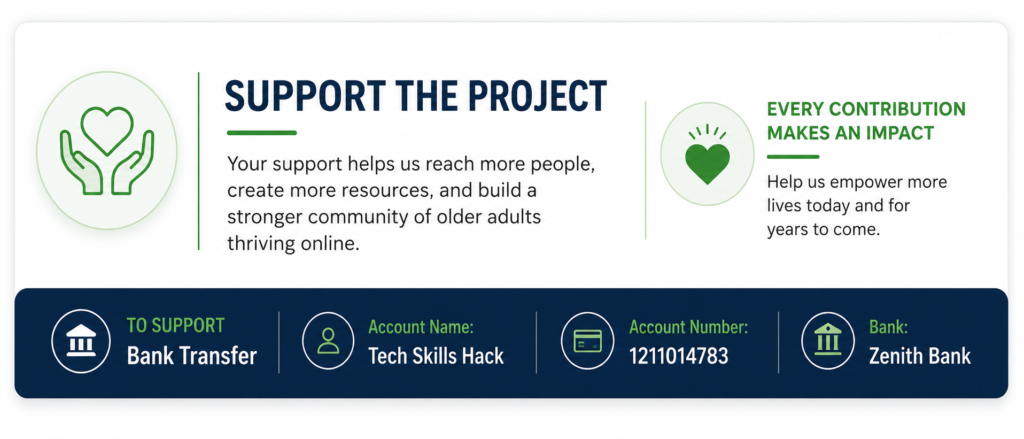
Can I sponsor someone who cannot afford the programme?
Yes. You can sponsor one or more participants through the support section of the website.
Can an organisation sponsor a group?
Yes. Organisations can sponsor individuals, groups or an entire cohort.
How do I secure my spot in the Bootcamp?
To enroll, simply make the payment of N50,000 to Tech Skills Hack | 12111014783 | Zenith Bank, or through our Paystack/Selar accounts. After payment, send the receipt to the provided WhatsApp number to confirm your registration.